Industry Solutions
Signage for Every Space.

Retail & Grocery

Restaurants & Bars

Corporate Offices
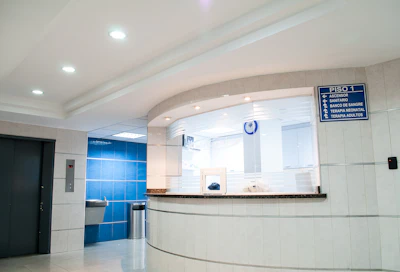
Healthcare

Education

Hospitality

Transportation
Transform any Android TV into a professional digital display. Upload content to your Drive folder — eZqos handles the rest. No servers, no dashboards, no complexity.
You have an Android TV and want to show menus or promos on it
You're tired of plugging USB drives into your TV
You already use Google Drive and don't want to learn new software
You want it to update automatically while you focus on running your business
Showcase everything from dynamic digital menus and high-impact promotional videos to live announcements and event schedules. eZqos supports all major media formats including HD video and high-quality imagery, delivered directly from your phone with zero server configuration.
All purchases are handled securely through Google Play in-app billing. No credit card details shared with us.
All subscription payments are processed by Google Play's in-app billing system. We never receive or store your payment details. You can manage, pause or cancel your subscription at any time directly from your Google Play account settings.
Last updated: March 2026. Plain language. No legalese.
eZqos collects only the minimum data needed to operate the service: your Google account email address for authentication, device identifiers for license validation against your Play Store subscription, and play-log data (file names and timestamps of media items played on your devices). This data is used solely to provide and improve the eZqos service.
eZqos uses Google OAuth to authenticate your account. We request access only to Google Drive through the restricted DRIVE_FILE scope described below. OAuth tokens are stored locally on your Android TV device. They are never transmitted to or stored on our servers.
Our application, eZqos, utilizes the Android Accessibility Service API to provide "Kiosk Mode" functionality. This feature is essential for digital signage environments to ensure the application remains in the foreground and to prevent unauthorized exit by intercepting system-level interactions such as the 'Home' and 'Recents' buttons.
Data Disclosure:
eZqos uses the DRIVE_FILE OAuth scope, which is the most restrictive Google Drive permission available. This scope ensures:
eZqos uses DRIVE_FILE scope only. We cannot see your existing Google Drive files. This is verified by Google's OAuth consent screen shown during sign-in.
We do not sell, rent, or share your personal data with third parties for advertising or marketing purposes. Data is shared only with essential infrastructure providers (such as Firebase for crash analytics) under strict data processing agreements, and solely to operate the service you have subscribed to.
Media files are downloaded and cached locally on your Android TV device and are never uploaded to our servers. Play logs are retained for 90 days and can be deleted at any time from the app settings. All personal account data is deleted within 30 days of account closure.
You have the right to access, correct, export or delete any personal data we hold about you.
To request permanent deletion of your account and all associated data, please use our Data Deletion Request Form. We will process your request within 30 days.
Privacy questions? Email us at hello@ezqos.id or use the in-app support channel. We aim to respond within 2 business days.
config_landscape.txt or
config_portrait.txt in the
eZqos/configs/ folder using this format:image_duration: 10 — Global image duration.
Just add suffix _15 into the filename to override
it (e.g., promo_15.webp).show_time: true — Show or hide current time;
set to false to hide.audio_enabled: true — Set to
false to mute the audio for video types.playlist: intro.webp, branding.JPG, best_seller.mp4,
promo.mp4, pricelist.webp
— List your filenames in sequential playback order.
For the best presentation experience, please rotate your device to landscape mode.